Branches, Toggles and Consolidation
Use branches to model divisions, geographies and scenarios independently - then toggle them on and off or roll them up into a consolidated view with no duplication or manual aggregation.
Watch: Build Branches and Consolidations in Minutes
Follow these steps to create branches, manage toggles, and combine multiple units into a single consolidated model.
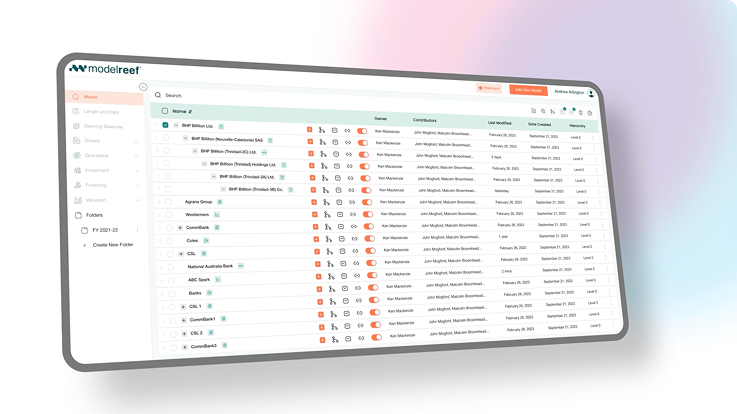
Step 1: Create Branches
Step 2: Toggle On & Off
Step 3: Build Consolidations
See the Difference Instantly
Before Model Reef, modelling multiple units meant juggling duplicate spreadsheets and manual rollups. Now you can structure, compare and consolidate branches instantly - without breaking anything.
| Task | Before Model Reef | After Model Reef |
|---|---|---|
| Model Divisions | Duplicate files | Clean branches |
| Compare Scenarios | Spreadsheet copies | Toggle on/off instantly |
| Build Consolidations | Manual rollups | Automatic consolidation |
Your model stays clean - no more duplicate spreadsheets.
A Smarter Way to Model Divisions and Scenarios
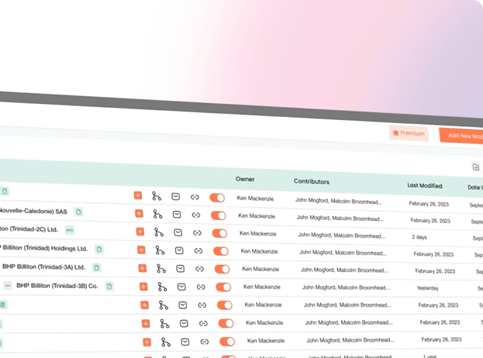
Branches let you test scenarios, separate units and consolidate performance - all inside one clean, structured model.

Clarity in decisions

Understand each division or scenario independently - or view them together instantly.
Accuracy you can trust

No more mismatched spreadsheets - consolidation is automatic and consistent.
Speed that saves hours

Scale to multiple divisions or scenarios without copying files.
Experience modelling that grows with your business.
Keep Learning, Keep Exploring
Every tutorial builds on the last - helping you understand how structure, branches, drivers and variables work together as your model becomes more sophisticated. Each new concept expands what you can model cleanly, accurately and at scale.
Explore the Features Behind This Workflow
Model Reef gives you the tools to structure multi-division, multi-scenario models without duplication or manual consolidation.
Automated Consolidation

Roll up divisions and geographies instantly with clean, consistent logic.
Driver-Based Modelling
Keep assumptions consistent across branches and consolidated views.
Real-Time Scenario Analysis

Toggle assumptions and compare scenarios side-by-side.
Real-Time Collaboration

Work across branches with visibility, comments and controlled access.
See the features that make multi-entity modelling effortless.
Ready to Build With Branches?
Start your free 14-day trial and explore how easy it is to model divisions, scenarios and consolidations - all in one structured model.
Want to explore more? Compare plans