Xero budgeting & forecasting: turn accounting exports into forecasts, budgets, and scenarios
Accounting systems are great at recording the past—planning needs a model that updates as reality changes. This pillar shows how to use your accounting data (and the right workflow) to build rolling forecasts, budgets, and scenario packs without spreadsheet sprawl.
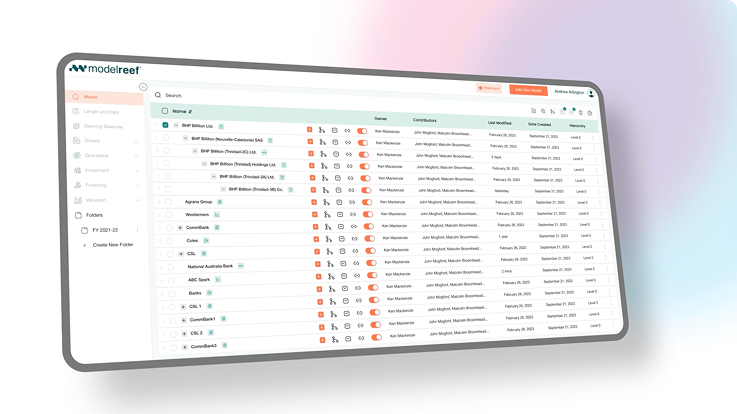
From setup to board-ready outputs
These articles cover the practical steps: exports, mapping, model structure, and how to keep forecasts current with minimal manual work.

Xero Budgeting and Forecasting: Build Driver-Based Plans in Model Reef (OAuth Integration)
View articles

Xero Cash Flow Forecast: Create a Rolling Forecast in Model Reef From Xero Actuals
View articles
Xero Budget vs Actuals Reporting Features: Variance Reporting in Model Reef vs Xero Budgeting Tools
View articles
Cash Flow Forecasting in Xero: Templates vs Driver-Based Scenarios in Model Reef
View articles
Xero Budgeting and Forecasting: Build Board-Ready Base, Upside, and Downside Scenarios
View articles
How to Calculate Business Valuation From Xero Reports in Model Reef (DCF + Multiples)
View articles
Xero Valuation: What Xero Can’t Do for Valuation (and How to Fill the Gap)
View articles
Difference between budget and forecast (with Xero examples) and how Model Reef connects
View articles
Budget vs Actual: Build Dashboards, Reports, and Excel Templates That Xero Teams Trust
View articles
Free Budget Template for Xero: Import to Model Reef and Link to Actuals Automatically
View articles
Start here: the most practical implementation guides
If you want to go from zero to a working workflow quickly, start with these.
Xero Cash Flow Forecast: Create a Rolling Forecast in Model Reef From Xero Actuals
View articles
Xero Budget vs Actuals Reporting Features: Variance Reporting in Model Reef vs Xero Budgeting Tools
View articles
Cash Flow Forecasting in Xero: Templates vs Driver-Based Scenarios in Model Reef
View articlesRelated pillars for planning workflows
These pillars expand on budgeting, forecasting, and reporting foundations that complement the integration-specific guides.
Odoo Inventory Valuation & Forecasting: Model Inventory, Cash, and Scenarios in Model Reef From Odoo Exports
View articles
MYOB Budgeting and Forecasting: Build Driver-Based Forecasts From MYOB Exports in Model Reef
View articles
Cash Flow Forecasting from Zoho Books Exports: Build Budgets & Rolling Forecasts in Model Reef
View articles
Sage Forecasting & Budgeting: Build Driver-Based Plans from Sage Exports in Model Reef
View articles
FreshBooks Cash flow forecast: turn FreshBooks exports into a driver-based model in Model Reef
View articles
Explore More From Model Reef
Learn by watching - Model Reef tutorials
Short, focused videos that show you how to go from raw data to live, structured financial models.
Getting Started
Learn the fastest way to import data, map it correctly and compile your first working model - in minutes.
View Getting Started Tutorials
Model Structure
See how a well-organised model is built - branches, categories, naming, and structural conventions that scale.
View Model Structure Tutorials
Drivers, Variables & Formulas
Understand how drivers, vehicles, and formulas work together so you can build dynamic, reliable forecasts.
View Driver & Formula Tutorials
Variable Types
Understand how Master revenue, COGS, opex, staff, tax, assets, liabilities and equity variables - and how each flows into the statements., variables and formulas work together so you can build dynamic, reliable forecasts.
View Variable Type Tutorials
Charts, Reports & Scenarios
Learn how to create dashboards, reporting packs, comparisons and scenarios for investors, boards and clients.
View Reporting & Scenario Tutorials
Collaboration & Governance
Share models confidently with roles, permissions, branches and clean workspace organisation built for teams.
View Collaboration TutorialsHelp Center
Find answers fast - from setup and integrations to advanced modelling and collaboration.
Use Cases
See how Model Reef is used for SaaS, retail, multi-entity consolidation, funds, project finance and more.
Browse all use casesHelp Articles
Step-by-step guides for importing data, building models, and understanding outputs.
Open Help ArticlesSyntax
Field-level explanations: variables, drivers, timing, formulas and charts.
Explore Syntax ReferenceHow Tos
Task-based recipes: build a DCF, consolidate entities, set up economics and dashboards.
Browse How TosDiscover the Tools Behind Model Reef
Every feature you read about in Articles - from integrations to dashboards - runs on Model Reef’s automation engine.
Explore the technology that keeps your models fast, reliable, and connected across every workflow.
Looking for More?
Discover how teams use Model Reef to collaborate, automate, and make faster financial decisions - or start your own free trial to see it in action.
Want to explore more? Compare plans .
Trusted by clients with over US$40bn under management.